Description
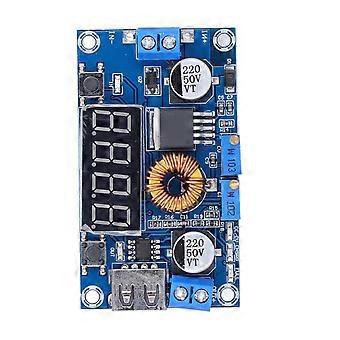
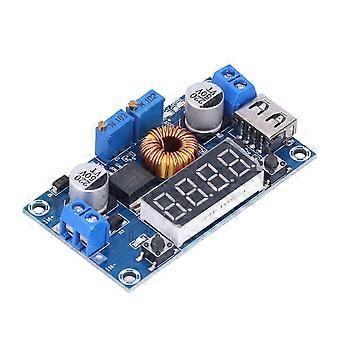
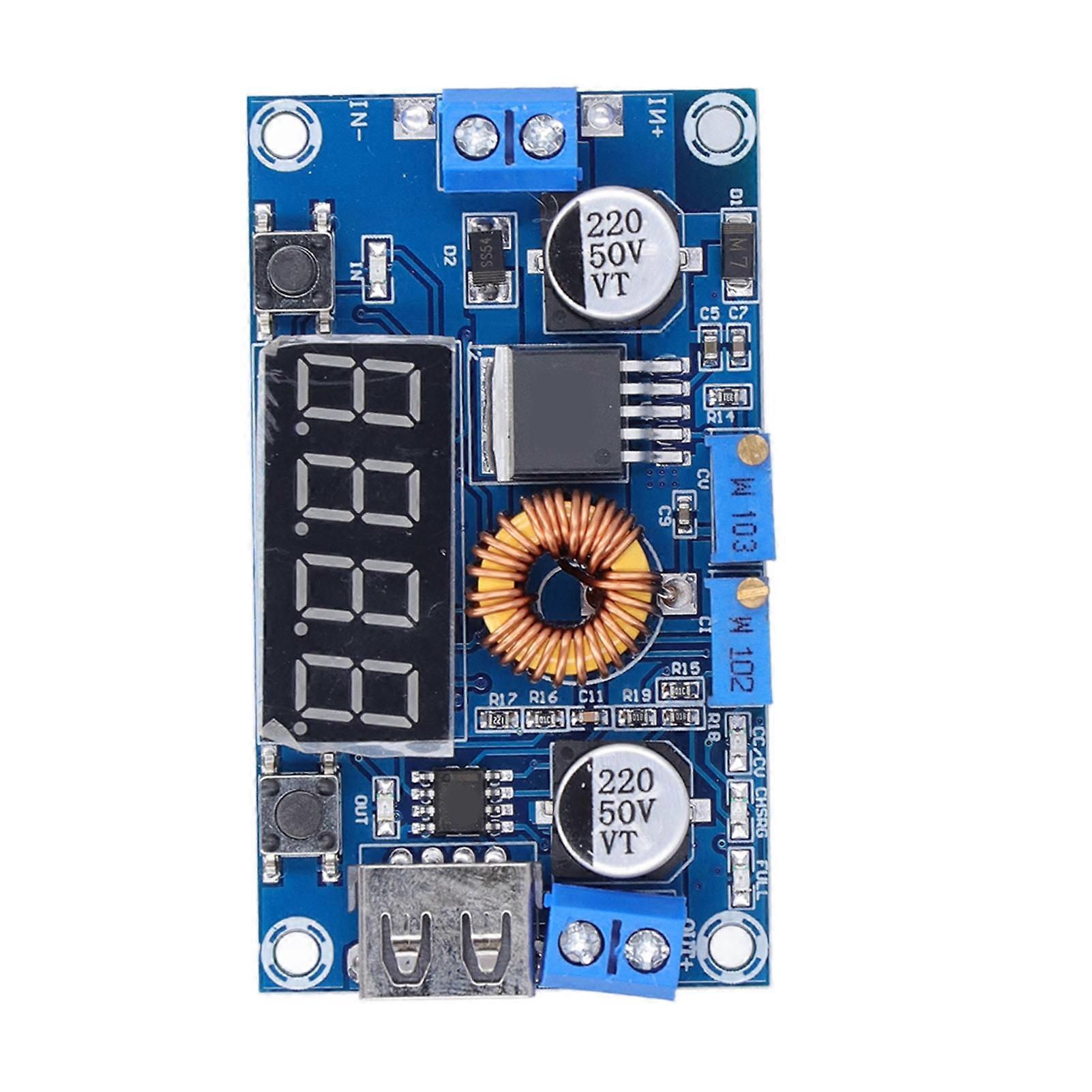
Power Supply Buck Module Constant Current Voltage Converter Board with USB Interface 5A
Power Supply Buck Module Constant Current Voltage Converter Board with USB Interface 5A
Item Type: Power Supply Buck Module
Input Voltage: 5-36V
Output Voltage: 1.25-32V continuously adjustable.
Output Current: Adjustable, maximum 5A (recommended e within 4.5A).
Output Power: Maximum 75W (recommended e within 50W, please reduce the power when under large voltage difference).
Working Temperature: -40-+85 degrees
Working Frequency: 180KHz
Conversion Efficiency: up to 96%.
Short Circuit Protection: Yes
Over Temperature Protection: Yes (automatically shut down the output when over temperature).
Input Reverse Connection Protection: None (if necessary, please insert a high current diode in series with the input).
Installation Method: 4 x 3mm / 0.1in (approx.) screws.
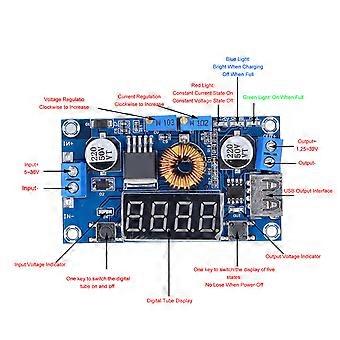
Wiring Mode: Wiring terminal or welding terminal, V IN is input, V OUT is output.
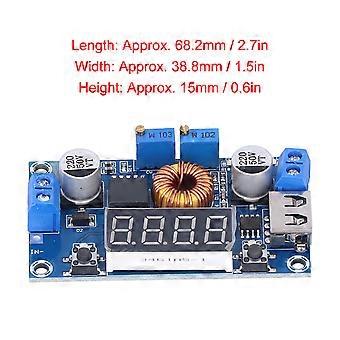
Length: Approx. 68.2mm / 2.7in
Width: Approx. 38.8mm / 1.5in
Height: Approx. 15mm / 0.6in
How e:
1. Use method as an ordinary buck module with over current protection capability:
A. Press the button on the right to adjust the digital meter to the display output voltage interface, and adjust the "constant voltage potentiometer" to make the output voltage get to the voltage value you want;
B. Adjust the digital meter to the display output current interface, and directly short circuit the output terminal of the module (just find a thick wire to short circuit the output terminal), at this time adjust the "constant current potentiometer" to make the current value reaches the preset overcurrent protection value; (for example, the current value displayed by the on board ammeter is 4A, then the maximum current of the module is limited to 4A, and the red indicator light is on when the current reaches 4A)
C. Connect the load and work.
2. Use as a battery charger:
The module without constant current function cannot be used to charge the battery. Because the voltage difference between the exhausted battery and the charger is very large, the charging current is too large and will cause damage to battery. Therefore, constant current must be used to charge the battery at the beginning. When the charging reaches a certain level, it will automatically switch back to constant voltage charging.
A. Determine the floating voltage and charging current of the battery; (if the lithium battery parameter is 3.7V/2200mAh, then the floating voltage is 4.2V, and the maximum charging current is 1C, which is 2200mA)
B. Under no load conditions, adjust the digital meter of the module to the display output voltage interface, and adjust the "constant voltage potentiometer" to make the output voltage get to the float voltage;
C. Adjust the digital meter to the display output current interface, and directly short circuit the output terminal of the module (just find a thick wire to short circuit the output terminal), at this time adjust the "constant current potentiometer" to make the The current value reaches the preset charging current value;
D. The default charging current is 0.1 times the charging current; (The current of the battery is gradually reduced during the charging process, and gradually changes from constant current charging to constant voltage charging. If the charging current is set to 1A, then when the charging current is less than 0.1A, the blue light is off and the green light is on, and the battery is fully charged at this time);
e. Connect the battery and charge it.
(In step 1, 2, 3, 4, the input terminal is connected to the power supply, and the output terminal is not connected to the battery without load).
3. Use as LED constant current drive module:
A. Determine the operating current and maximum operating voltage you need to drive the LED;
B. Under no load conditions, adjust the digital meter to the display output voltage interface, and adjust the "constant voltage potentiometer" to make the output voltage get to the LED operating voltage;
C. Adjust the digital meter to the display output current interface, and directly short circuit the output terminal of the module (just find a thick wire to short circuit the output terminal), at this time adjust the "constant current potentiometer" to make the The current value reaches the preset LED working current;
D. Connect the LED and test the machine.
(In step 1, 2, and 3, the input is connected to the power supply, and the output is no load without the LED light)
-
Fruugo ID:
403783742-857178865
-
EAN:
6901326848120
Delivery & Returns
Dispatched within 24 hours
Shipping from China.
We do our best to ensure that the products that you order are delivered to you in full and according to your specifications. However, should you receive an incomplete order, or items different from the ones you ordered, or there is some other reason why you are not satisfied with the order, you may return the order, or any products included in the order, and receive a full refund for the items. View full return policy