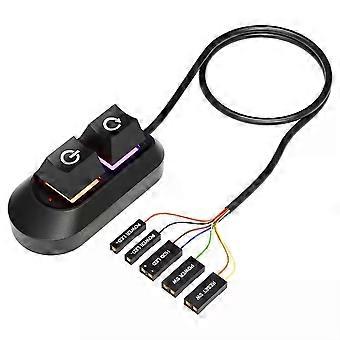
2M Mechanical Desktop Power Switch External Start Computer Switch on/Off and Reset Button Extension Cable PC Power Button Switch
$24.95
FREE Shipping

2M Mechanical Desktop Power Switch External Start Computer Switch on/Off and Reset Button Extension Cable PC Power Button Switch
  • Brand: Unbranded
Sold by:

2M Mechanical Desktop Power Switch External Start Computer Switch on/Off and Reset Button Extension Cable PC Power Button Switch
  • Brand: Unbranded

$24.95

Save $6.00 (19%)

RRP

$30.95
In stock
FREE Shipping

14-Day Returns Policy

Sold by:

$24.95

Save $6.00 (19%)

RRP

$30.95
In stock
FREE Shipping

14-Day Returns Policy

Payment methods:

Description

2M Mechanical Desktop Power Switch External Start Computer Switch on/Off and Reset Button Extension Cable PC Power Button Switch
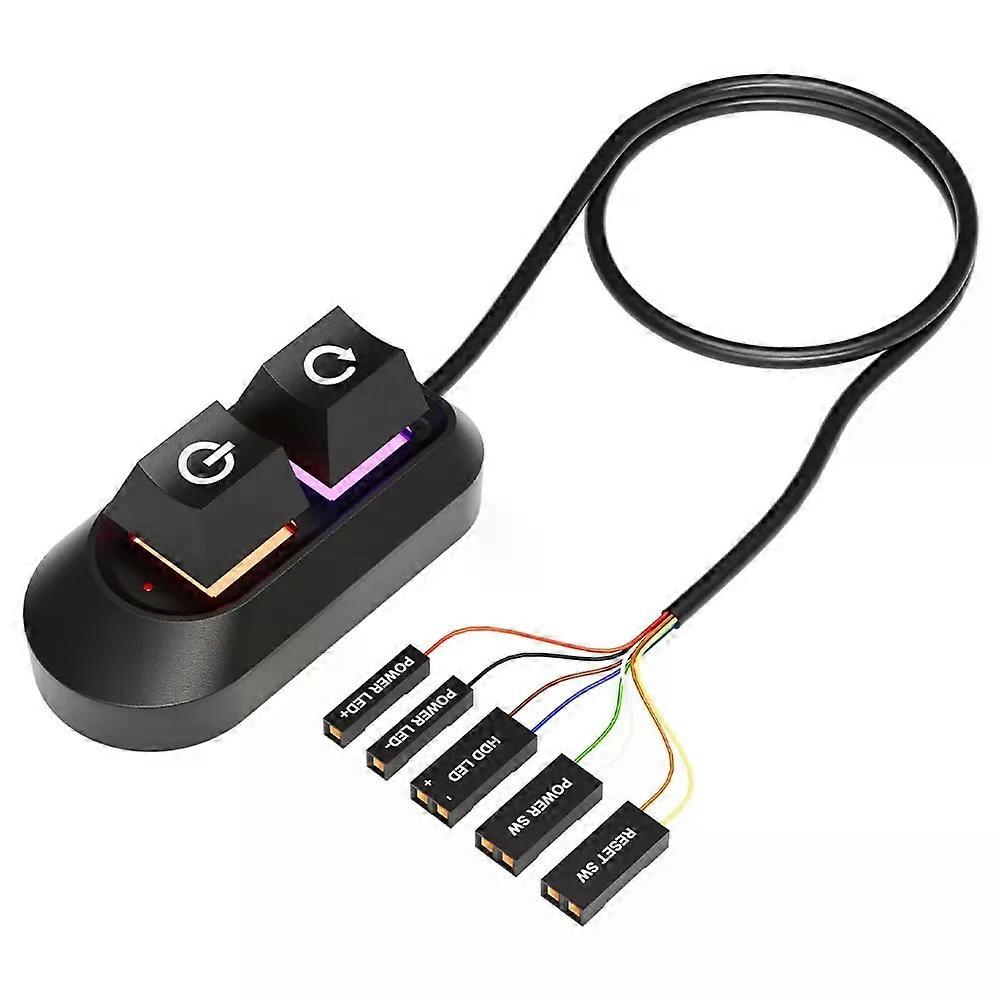
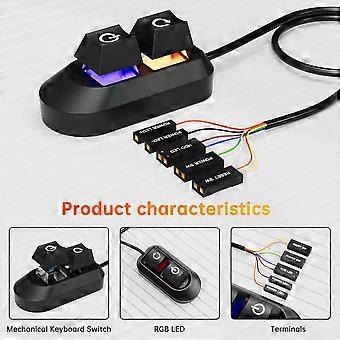
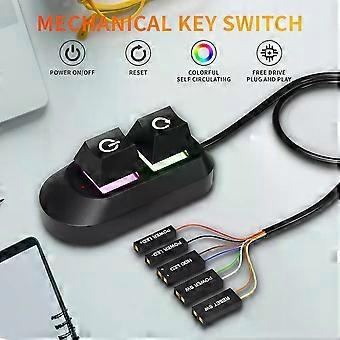
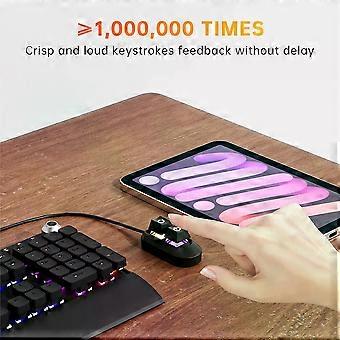
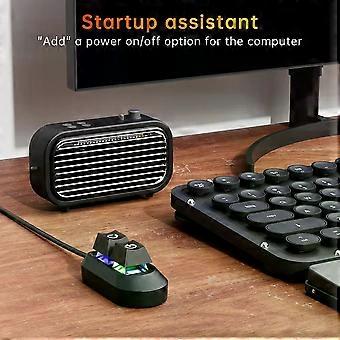
Specifications: Product weight: 56g Product size: 65/32/27.5mm Line length: 2m Color: black Packaging weight: 90g Packaging size: 115/85/35mm NOTE!! There are two versions of this key switch, one is RGB button ,the other is No RGB button ,please kindly choose when you make a purchase Features: External Desktop PC Power / Reset Switch: controlling your computer from the comfort place in the room using the power button and reset button with long cable. Even your computer in a hard to reach place, this power button can make PC power switch ON/OFF much easier. ✔️Mechanical shaft key switch and colorful gradient light : The mechanical axis key as same as the ON/OFF button, same as pressing the mechanical axis keyboard ; coupled with colorful gradient lighting effect, gives you a different power controll experience,along with the reset button ,when you don/x27;t need to power off and power on the computer, this reset button can help you. ✔️Easy to install: the package comes with installation instructions. Just install the HDD LED and RESET SW terminals in another row in sequence, and then check the POWER LED/and HDD LED/ according to the diagram, ensure that the positive electrodes are installed correctly Installations 1. Turn off your computer and disassable the side panel of your computer case. 2. Find the correct hole position from the rear part of thechassis, and lead the cable into the chassis. 3. Find the jumper position of power on and power LED terminais on the mainboard,replace the jumpers in turn and install them in place. Using the same method, install the HDD LED and RESET SW terminals in another row in sequence, and then check the POWER LED/andHDD LED/ according to the diagram, ensure that the positive electrodesare installed correctly. 4.If you want to retain these functions on the front panel,you need to use the one split two adapter for switching. 5.Inspect the installation position are correct, restart your computer and ensure all funtions works as normal .Use the tie to sort out the harness, and put the switch into the right position.
  • Fruugo ID: 451969971-953291754
  • EAN: 06942727508381

Delivery & Returns

Dispatched within 3 days

  • STANDARD: FREE - Delivery between Tue 27 January 2026–Thu 05 February 2026 - FREE

Shipping from China.

We do our best to ensure that the products that you order are delivered to you in full and according to your specifications. However, should you receive an incomplete order, or items different from the ones you ordered, or there is some other reason why you are not satisfied with the order, you may return the order, or any products included in the order, and receive a full refund for the items. View full return policy

Product Compliance Details

Please see the compliance information specific to this product outlined below.

The following information is provided by the independent third-party retailer selling this product.

Manufacturer
The following information outlines the contact details for the manufacturer of the relevant product sold on Fruugo.

  • Hangzhou Zichi Network Technology Co., Ltd
  • Hangzhou Zichi Network Technology Co., Ltd
  • Room 205, Building 3, No. 1866, Binxing Road
  • Changhe Street, Binjiang District
  • Hangzhou
  • China
  • 310000
  • 18758862577@163.com
  • 15158876167

Responsible Person in the EU
The following information outlines the contact information for the responsible person in the EU. The responsible person is the designated economic operator based in the EU who is responsible for the compliance obligations relating to the relevant product sold into the European Union.

  • Universal International business SARL
  • Universal International business SARL
  • 254 Rue Vendome 69003 Lyon
  • Lyon
  • France
  • 69003
  • Leroy.Holliana@outlook.com
  • 33773332462